

Open Source
LangChain
Agent engineering platform for building LLM applications from composable parts
No reviews yet

Let agents operate real browsers for web tasks—automate clicks and forms without paying Zapier tax on every flow.
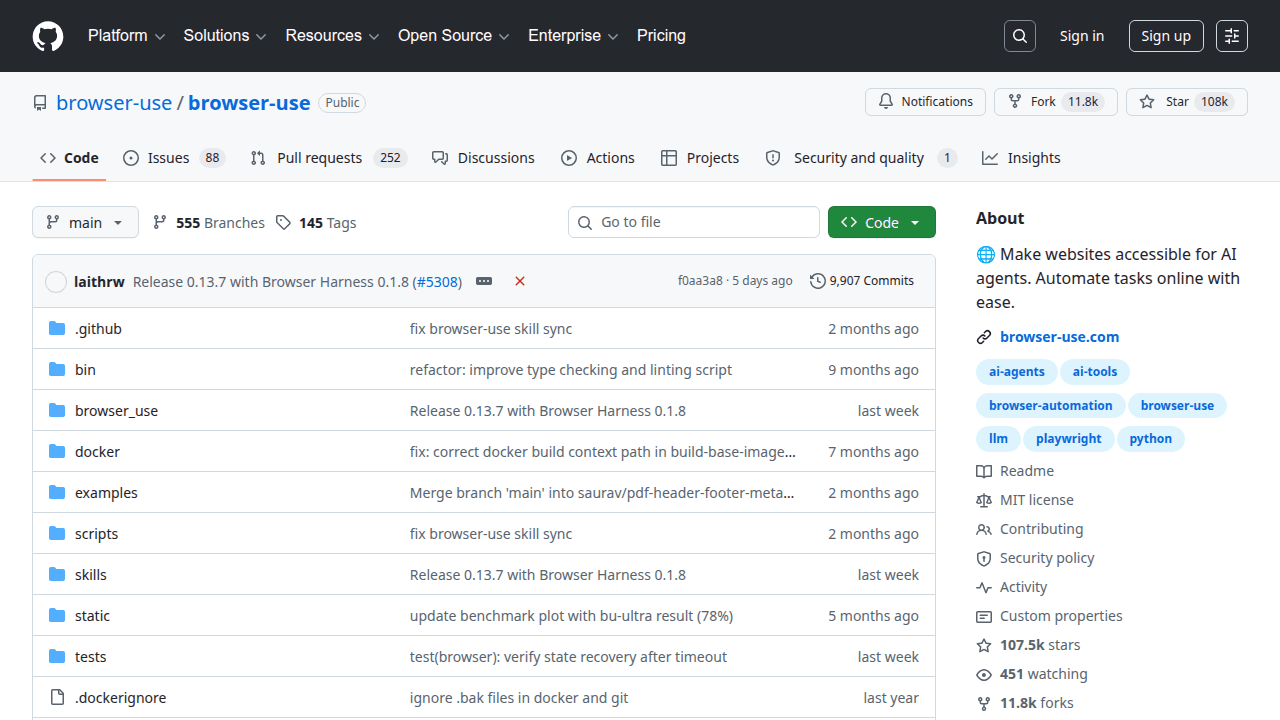
Browser Use is an open-source project solopreneurs use when they want leverage without locking every workflow into a closed SaaS. Let agents operate real browsers for web tasks—automate clicks and forms without paying Zapier tax on every flow. Browser Use enables AI agents to control a web browser for tasks that lack clean APIs—filling forms, navigating dashboards, extracting page state. Solopreneurs adopt it when growth or ops work is trapped in websites and traditional RPA feels heavy.
Why solopreneurs use it
Much of the internet is still UI-only. Browser agents extend what your product or internal tooling can automate without waiting on vendor integrations. For a solo operator, reclaiming an hour of daily admin is meaningful margin. You must still design guardrails: confirm destructive actions and avoid storing credentials carelessly.
What you can build
Lead enrichment flows, competitor price checks, SaaS admin automations, and QA agents that click through your own app. Customer-facing features can offer “do it on the site for me” for specific vetted domains.
Getting started tip
Start with a read-only task on a stagin primarily written in Python. Community signal on GitHub is strong (about 107,449 stars at last sync), which usually means docs, issues, and examples are easier to find when you get stuck. On SolopreneursHub we file it under Open Source so you can discover it next to related AI repos, AI tools, and AI models.
Browser Use fits solo founders, indie hackers, and small agencies who need a concrete capability—ai-agents, ai-tools, browser-automation, browser-use, llm, playwright—without hiring a platform team. If you are validating an AI-assisted product, packaging a niche assistant, or cutting SaaS spend while you grow MRR, this repo is worth a serious look. It is less ideal if you need a turnkey consumer app with SLAs on day one; in that case start with a hosted product from our tools directory and revisit Browser Use when margins or privacy requirements push you toward self-hosting.
Keep this Browser Use listing open next to our open-source category and the upstream GitHub repository for README details, license terms, and release notes.
Ship a private MVP without burning API credits. Browser Use helps you prototype the core loop locally or self-hosted so you learn what users want before you scale spend.
Productize a niche workflow. Wrap Browser Use behind a thin UI or API and sell a focused outcome (drafting, research, automation, or codegen) instead of a generic chatbot.
Client delivery accelerator. Agencies and freelancers use Browser Use to compress delivery time on demos, audits, and internal tools while keeping sensitive data off shared SaaS tenants.
Content and SEO operations. Pair Browser Use with your publishing stack to research outlines or draft faster—then edit hard so the result stays AdSense-safe and human.
Whatever use case you pick, define a success metric before you customize deeply—activation, time-to-first-value, or cost per successful run. That keeps Browser Use from becoming an endless tinkering project.
Expect a steeper first week than clicking “Sign up” on a SaaS. The payoff is margin and flexibility once the workflow is stable.
For monetization ideas that sit on top of open-source building blocks, see how makers position paid products in our AI tools catalog and compare packaging patterns on alternatives pages.
When founders evaluate Browser Use, they usually also look at LangChain and ECC. Comparisons should be job-based, not star-count-based: what outcome are you selling, how hard is day-2 operations, and can you hire (or be) the maintainer of the glue code?
When you are ready to shortlist options side by side, open Browser Use alternatives and cross-check peers in the repos directory. If you are weighing a managed product instead, scan comparable listings under tools and productivity.
Also worth bookmarking: the SolopreneursHub home page for curated picks, categories for browsing by theme, and submit if you maintain a repo that should be listed.
If you get stuck choosing between adjacent projects, revisit the comparison section above and the live Browser Use alternatives list.
Usually open-source means you can experiment freely, but commercial packaging depends on the exact license and any model or dependency licenses you pull in. Read the repository license and third-party notices before you sell access.
Self-host when privacy, margin, or customization matter more than convenience. Choose SaaS when your bottleneck is distribution and support, not infra. Many founders prototype with Browser Use, then offer a hosted tier once demand is clear—browse both repos and tools while you decide.
When founders evaluate Browser Use, they usually also look at LangChain and ECC. Rank options by time-to-demo, ops complexity, and license—not hype. Our Browser Use alternatives page keeps that shortlist updated.
Yes. Typical stacks mix Browser Use with models from AI models, orchestration or UI layers from AI tools, and adjacent OSS from repos. Start from Open Source if you want thematically related picks.
Read this listing, check Browser Use alternatives, then explore featured tools you might wrap commercially. When your own product is ready, submit a listing so other solopreneurs can find it.
Agent engineering platform for building LLM applications from composable parts

Agent harness optimisation for Claude Code, Codex, OpenCode and Cursor

Self-improving agent from Nous Research that learns across sessions

Small, composable agent skills from Matt Pocock's daily .agents directory